

Latest Version
Version
1.6.0
1.6.0
Update
January 26, 2024
January 26, 2024
Developer
LUJO Apps
LUJO Apps
Categories
Tools
Tools
Platforms
Android
Android
Downloads
0
0
License
Free
Free
Package Name
com.lujoug.tvmessenger
com.lujoug.tvmessenger
Report
Report a Problem
Report a Problem
More About TV Messenger
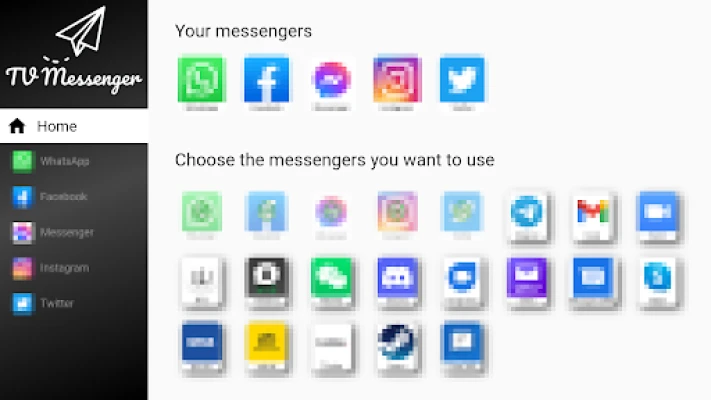
All your messengers into one app on your Android TV.
Your advantages:
- the TV Messenger is simple, plain and clear
- all your messengers like WhatsApp, Facebook, Telegram or Wire in one app
- always in sync: continue to receive messages with other devices
- Many setting options
Simply start:
1. install
Install the TV Messenger on your TV via the Play Store
2. select
Select the messenger you want to use
3. sign in
Sign in once to your messengers
Signing up using WhatsApp as an example:
On your TV:
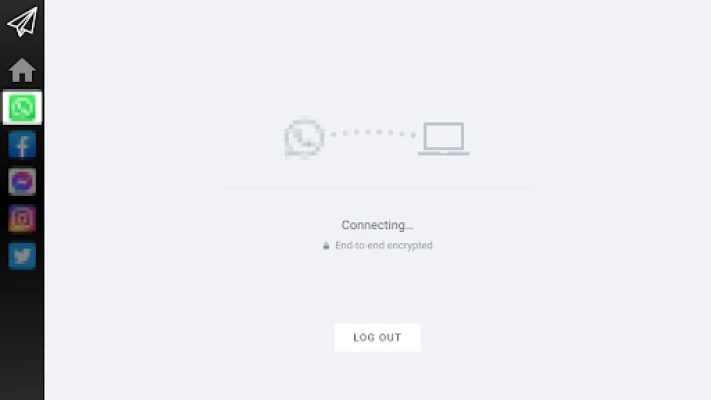
1. launch WhatsApp
2. you will see a QR code
On your smartphone:
1. launch WhatsApp
2. open the settings (the 3 dots on the top right)
3. select "Linked devices".
4. click on the "ADD DEVICE" button.
5. scan the QR code on the TV screen with your smartphone.
Note: Sometimes you need to do the scanning twice. After scanning, it will take a while to connect.
If you have any questions, problems or suggestions, just send us an email: tvmessenger@lujo-ug.de.
We appreciate any message from you!
- the TV Messenger is simple, plain and clear
- all your messengers like WhatsApp, Facebook, Telegram or Wire in one app
- always in sync: continue to receive messages with other devices
- Many setting options
Simply start:
1. install
Install the TV Messenger on your TV via the Play Store
2. select
Select the messenger you want to use
3. sign in
Sign in once to your messengers
Signing up using WhatsApp as an example:
On your TV:
1. launch WhatsApp
2. you will see a QR code
On your smartphone:
1. launch WhatsApp
2. open the settings (the 3 dots on the top right)
3. select "Linked devices".
4. click on the "ADD DEVICE" button.
5. scan the QR code on the TV screen with your smartphone.
Note: Sometimes you need to do the scanning twice. After scanning, it will take a while to connect.
If you have any questions, problems or suggestions, just send us an email: tvmessenger@lujo-ug.de.
We appreciate any message from you!
Rate the App
Add Comment & Review
User Reviews
Based on 0 reviews
No reviews added yet.
Comments will not be approved to be posted if they are SPAM, abusive, off-topic, use profanity, contain a personal attack, or promote hate of any kind.












More »

Popular Apps

stuearn 4venu karnati

Libon - Calls and RechargeInternational calls & Top up

Microsoft Edge: AI browserMicrosoft Corporation

Numero eSIM: Virtual NumberSmarteletec S.L.

Botim - Video and Voice CallAlgento Cloud Computing Limited

C++ Compiler - Run .cpp CodeOnePercent

Random Chat Video Live Mini TVSexy Online Dating Ome Holla

Newky: Random Live Video ChatMeet new Stranger, Adult Chat

Kafu - Group Voice Chat RoomsKAFU

Express VPN - expressvpn proxyCodebyte Tech