

Latest Version
Version
1.0
1.0
Update
February 05, 2024
February 05, 2024
Developer
Whats Web-WhatsWeb, Dual Chat
Whats Web-WhatsWeb, Dual Chat
Categories
Communication
Communication
Platforms
iOS
iOS
File Size
99.4 MB
99.4 MB
Downloads
0
0
License
Free
Free
Report
Report a Problem
Report a Problem
More About whatweb
Whats Web, dual WA, dual space, Whatscan for WhatsWeb, Status Saver-DualChat for WhatsWeb, Webchat
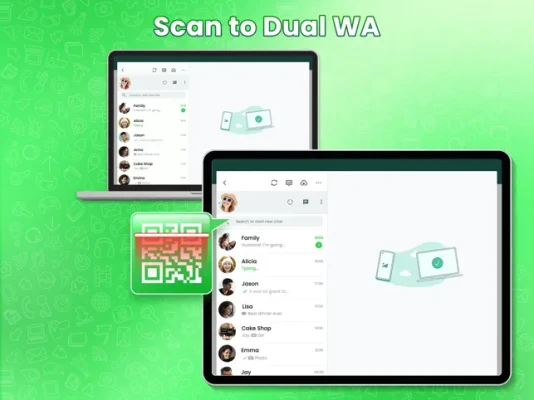
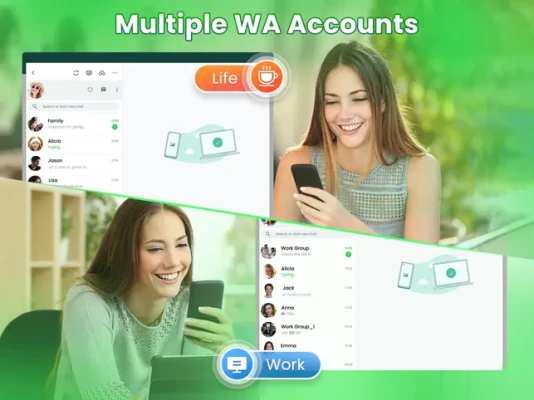
Whatscan for WhatsWeb-Whats Web is a utility App that helps you open the multiple WA accounts on the same device or log in to your WA accounts on different devices by scanning the QR Code of Whatcan Web for Whatsweb.
Whats Web App allows you direct chat with your friends in the second account without saving contacts.
Besides, Whats Web App also allows you download and repost
WA status. By using wats wep web App, you can recover all deleted WA messages.
Features:
Audio to Text
• Convert any voice messages to text
Fancy Font
• Use fancy fonts for status & chats
WhatsWeb Scanner
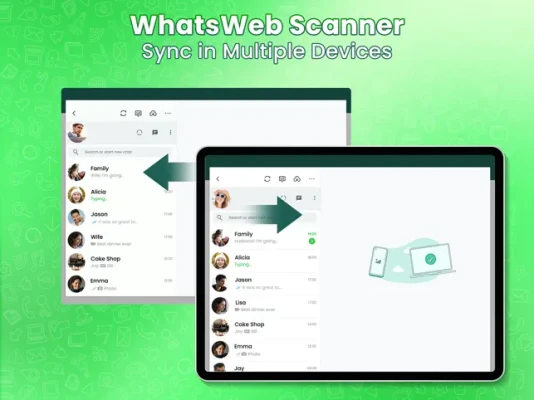
• You can log in to your WA accounts on different devices by scanning the QR Code of WA Web.
Dual WA Accounts
• The Whatscan for Whats Web automatically sync all WA messages from the second account, allowing you to view and respond at anytime. What's more, you can manage your downloaded files from the second WA accounts effectively.
Direct Chat
• Whatscan Dual Chat App allows you direct chat in Dual WA without saving your phone number
Dark Mode
• The Whatscan for WhatsWeb App's exclusive dark mode allows you to chat freely at night without screen damage to your eyes.
Files Management
• One-click delete watsup files you don't want, such as videos, photos, etc.
Devices Support
• Support all ios iPhone Devices, ios iPads
Disclaimer:
Whatscan for whatsapp web is NOT affiliated with the Official WhatsApp Application and WhatsApp Inc. WhatsApp Inc. holds the copyright for the name "WhatsApp".
Privacy Policy: https://sites.google.com/view/likeme-techstudio/home
Terms of Use: https://sites.google.com/view/safe24-terms
Description of continuous monthly subscription package:
1. After opening the continuous monthly subscription package, the subscription will be automatically renewed every other natural month and the monthly membership will be automatically extended;
2. iPhone continuous monthly subscription fees will be deducted from the user's Apple iTunes account:
3. If you need to cancel the renewal, please turn off the automatic renewal at least 24 hours before the deduction;
4. Cancellation method: Enter from the Home page (Settings] -> click iTunes Store and App Store] -> click [Apple ID] select [View Apple ID] -> [Account Settings] -> [Subscribe] select HiFi Cloud Music Library Just cancel the subscription for continuous monthly subscription
Whats Web App allows you direct chat with your friends in the second account without saving contacts.
Besides, Whats Web App also allows you download and repost
WA status. By using wats wep web App, you can recover all deleted WA messages.
Features:
Audio to Text
• Convert any voice messages to text
Fancy Font
• Use fancy fonts for status & chats
WhatsWeb Scanner
• You can log in to your WA accounts on different devices by scanning the QR Code of WA Web.
Dual WA Accounts
• The Whatscan for Whats Web automatically sync all WA messages from the second account, allowing you to view and respond at anytime. What's more, you can manage your downloaded files from the second WA accounts effectively.
Direct Chat
• Whatscan Dual Chat App allows you direct chat in Dual WA without saving your phone number
Dark Mode
• The Whatscan for WhatsWeb App's exclusive dark mode allows you to chat freely at night without screen damage to your eyes.
Files Management
• One-click delete watsup files you don't want, such as videos, photos, etc.
Devices Support
• Support all ios iPhone Devices, ios iPads
Disclaimer:
Whatscan for whatsapp web is NOT affiliated with the Official WhatsApp Application and WhatsApp Inc. WhatsApp Inc. holds the copyright for the name "WhatsApp".
Privacy Policy: https://sites.google.com/view/likeme-techstudio/home
Terms of Use: https://sites.google.com/view/safe24-terms
Description of continuous monthly subscription package:
1. After opening the continuous monthly subscription package, the subscription will be automatically renewed every other natural month and the monthly membership will be automatically extended;
2. iPhone continuous monthly subscription fees will be deducted from the user's Apple iTunes account:
3. If you need to cancel the renewal, please turn off the automatic renewal at least 24 hours before the deduction;
4. Cancellation method: Enter from the Home page (Settings] -> click iTunes Store and App Store] -> click [Apple ID] select [View Apple ID] -> [Account Settings] -> [Subscribe] select HiFi Cloud Music Library Just cancel the subscription for continuous monthly subscription
Rate the App
Add Comment & Review
User Reviews
Based on 0 reviews
No reviews added yet.
Comments will not be approved to be posted if they are SPAM, abusive, off-topic, use profanity, contain a personal attack, or promote hate of any kind.















More »

Popular Apps

stuearn 4venu karnati

Libon - Calls and RechargeInternational calls & Top up

Microsoft Edge: AI browserMicrosoft Corporation

Numero eSIM: Virtual NumberSmarteletec S.L.

Botim - Video and Voice CallAlgento Cloud Computing Limited

C++ Compiler - Run .cpp CodeOnePercent

Random Chat Video Live Mini TVSexy Online Dating Ome Holla

Newky: Random Live Video ChatMeet new Stranger, Adult Chat

Kafu - Group Voice Chat RoomsKAFU

Express VPN - expressvpn proxyCodebyte Tech